◆ COLD CTRL World

Industry 4.0 ready

A unit that never leaves you without cooling.
A system that watches over it day and night.

COLD CTRL is our line: refrigeration units designed, built and programmed in-house, and the ColdCtrl supervision platform that keeps them under control together with every load in the premises.

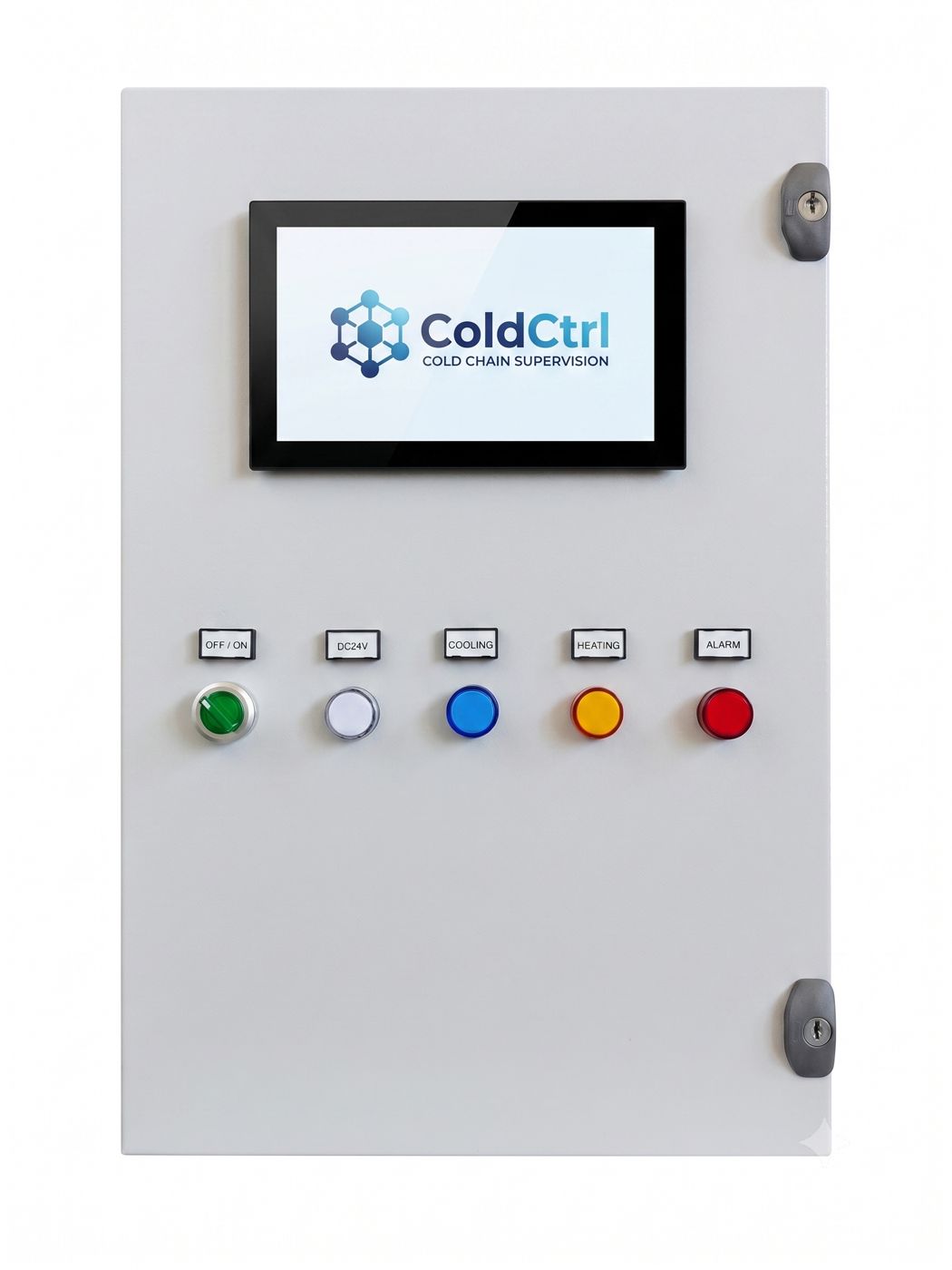
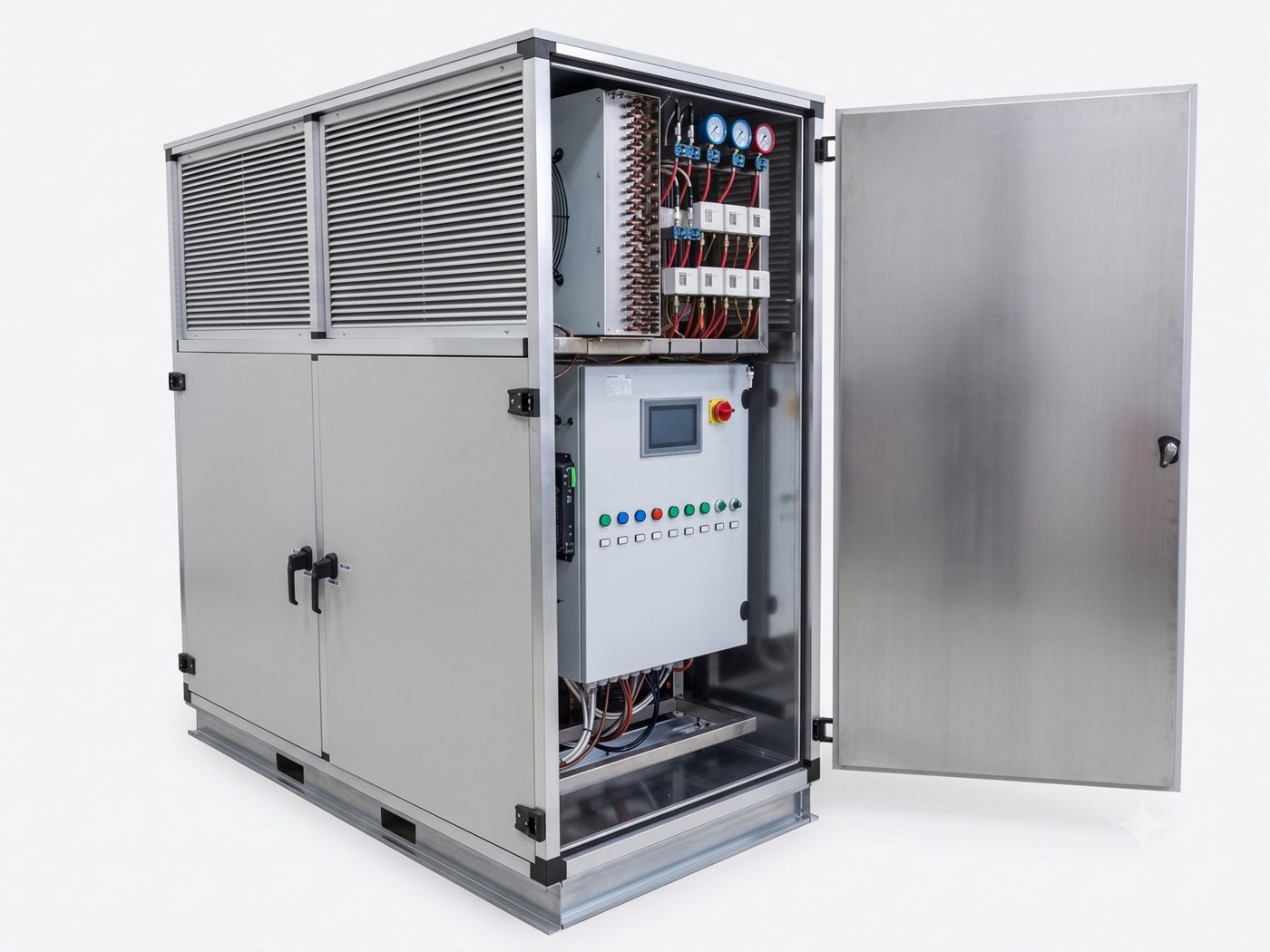
Enclosed COLD CTRL refrigeration unit, with panel and touch screen
REFRIGERATION UNIT

COLD CTRL

Safe by architecture. Redundant by design.

  • Compressors not tied to a circuit: the PLC assigns them to MT or LT in real time.
  • N+1 redundancy: even with a single compressor, MT and LT stay supplied.
  • Standard subcooler e electronic liquid injection on every compressor.
  • COP 2.4 measured in peak summer: about 25–30% less electricity.
  • 10 configurable refrigerants, «W» heat recovery for hot water up to 60 °C.
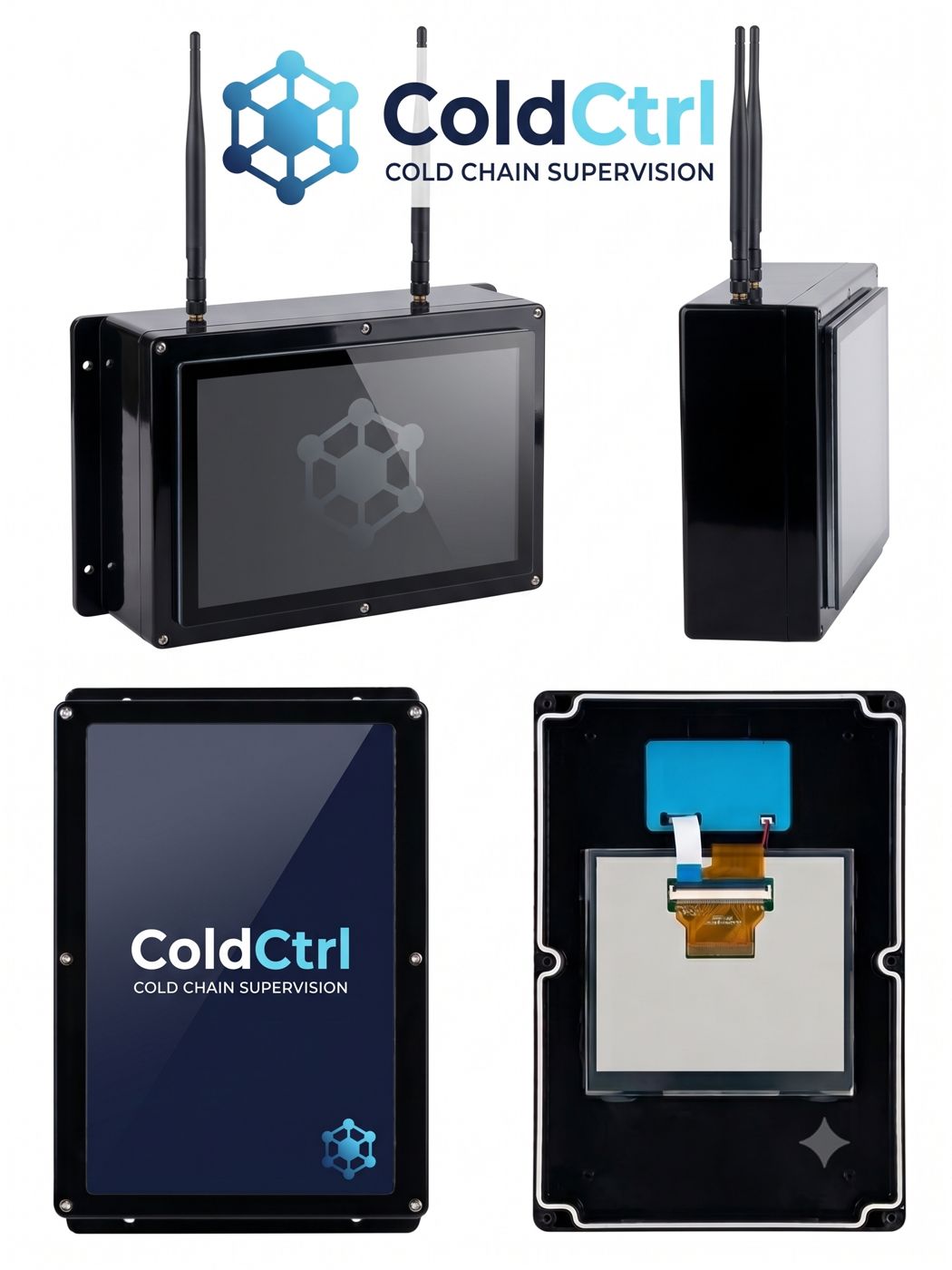
Wall-mounted ColdCtrl All-in-One with touch screenColdCtrl built into the panel, screen on the door
COLD CHAIN SUPERVISION

ColdCtrl

It's not a thermometer. It's a guardian.

  • Two versions: wall-mounted All-in-One or built into the panel, with 10" touch screen.
  • All brands, connected via network cable, data cable or WiFi.
  • Even the silent fridges: wireless probes and power-draw readings.
  • Notifications on your phone, HACCP history, portal and app for customer and installer.
  • Subscription with 24/7 monitoring and artificial intelligence.

Try the redundancy

Switch off a compressor. Then another.

Tap the compressors to simulate a fault. In a conventional unit the circuit would be left uncovered; COLD CTRL reassigns the remaining ones and keeps both circuits alive.

3 compressors available · MT and LT covered · 1 in reserve

MTpositive rooms and cabinetsCOVERED
LTnegative rooms and blast chillersCOVERED
Conventional unit (C1 and C2 fixed on MT, C3 fixed on LT), same fault:MT ✓ · LT ✓

Configurator

The COLD CTRL model code, field by field

Every unit is born from a configuration and carries it in its name. Choose and watch the code build up.

Compact form:

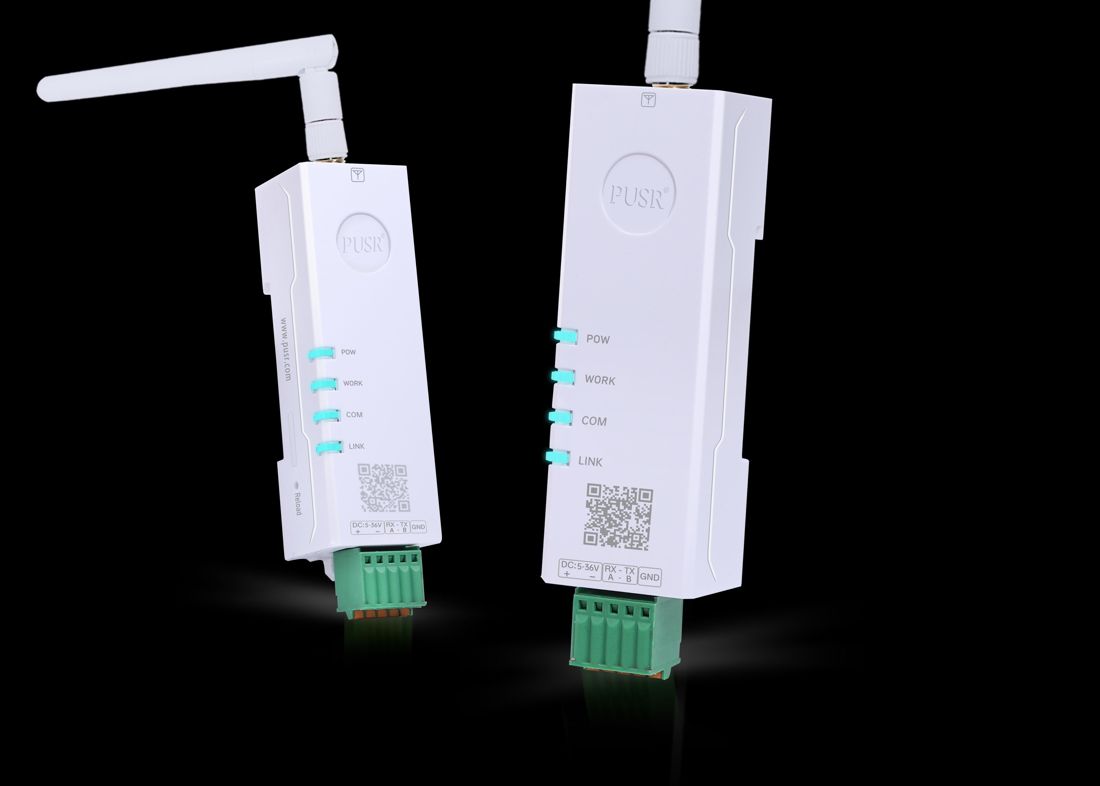
    ColdCtrl WiFi converter
    WiFi converterThe distant cabinet connects by radio, with no building work.
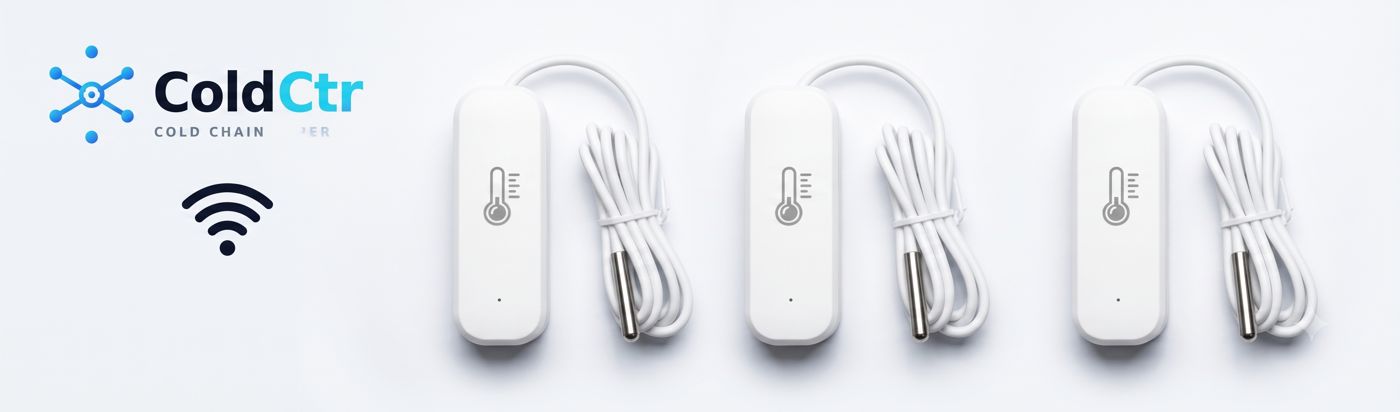
    ColdCtrl wireless probes
    Wireless probesInside fridges without a controller: no blind spots.
    ColdCtrl web portal
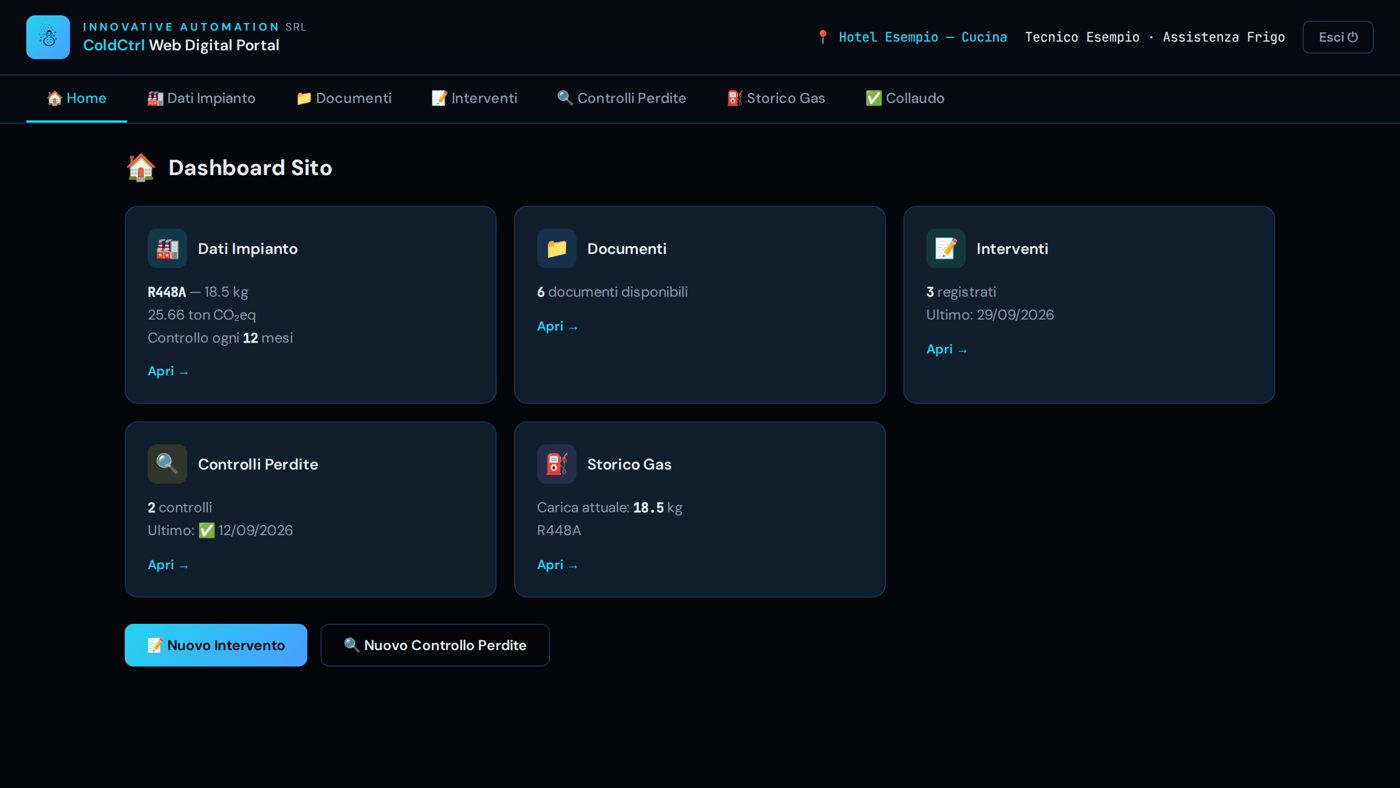
    PortalPlant, documents, service visits, leak checks and refrigerant log.
    ColdCtrl app on the phone
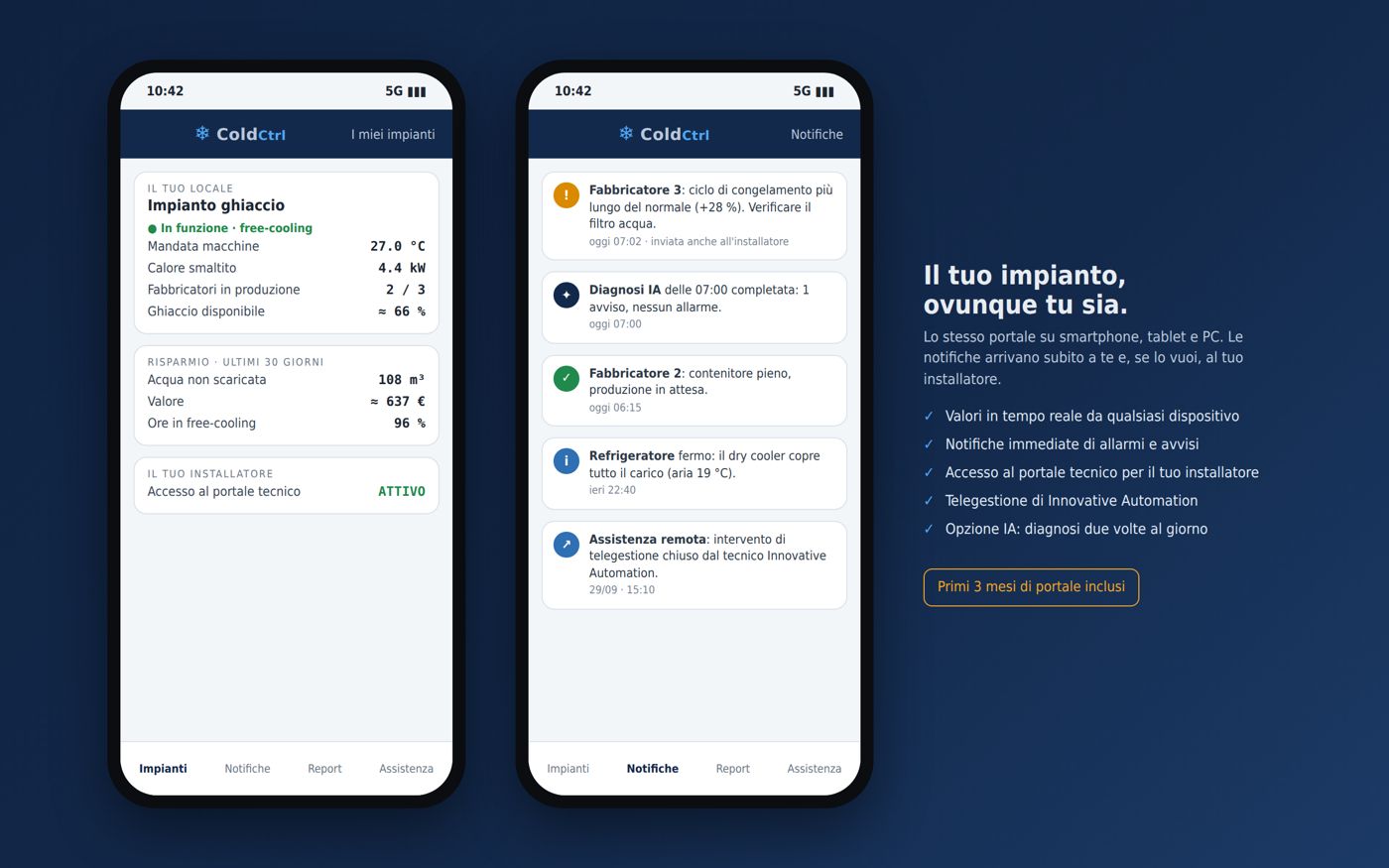
    AppNotifications and real-time values on phone, tablet and PC.
    Industry 4.0 ready

    4.0 hyper-depreciation · Italian 2026 Budget Law

    Ready for Industry 4.0

    ColdCtrl refrigeration plants and supervision are designed to meet the Industry 4.0 technical requirements: PLC control, interconnection with company systems, remote control and service, continuous monitoring. This is why the investment can qualify for the 4.0 hyper-depreciation (iperammortamento) under Italy's 2026 Budget Law. We provide the technical documentation for the expert appraisal or the interconnection certificate.

    Italy's 2026 Budget Law reintroduced hyper-depreciation for 4.0 assets: tangible assets listed in Annex IV and intangible assets (software) listed in Annex V. Here is how ColdCtrl plants and supervision meet the technical requirements.

    5 mandatory features

    1. PLC controlPlant controlled by an Eliwell Advance PLC with proprietary software.
    2. Interconnection with company systemsData exchange and remote loading of setpoints and parameters: Modbus TCP, encrypted VPN, API.
    3. Automated integrationWith the other plant systems and the site's building energy management system (BEMS).
    4. Simple, intuitive human-machine interfaceTouch panel and app.
    5. Safety, health and hygieneDesigned to the applicable safety standards (EN 378).

    Additional features (at least 2 of 3)

    1. Remote assistance, remote diagnostics and remote controlOver encrypted VPN, from the ColdCtrl portal.
    2. Continuous monitoringOf operating conditions and process parameters, with alarms and history.

    Software

    The ColdCtrl supervision software qualifies as a related intangible asset (Annex V).

    Access to the incentive depends on your company's tax position: check with your advisor; for the interconnection we provide the documentation needed for the appraisal or the required declaration.

    ColdCtrl · cold chain supervision

    It's not a thermometer. It's a guardian.

    A simulated plant with the ColdCtrl screens. Pick a load, open the cold room door and see what reaches the phone.

    Demo Restaurant · 6 loads · simulation--:--:--
    —last 2 minutes · dashed limits

    On the phone the customer sees the plant and receives the alerts; remote commands are reserved for the authorised technician.

    Your smartphoneThis is where the notifications you would get on your phone, tablet or PC appear.


    09:41

    ColdCtrl · no alarms

    Read only

    Demo Restaurant


      All brandsTalks to controllers of the leading brands, even mixed together.
      Even the silent fridgesWireless probes in fridges without a controller; ice makers read from their power draw.
      It reads and commandsRemote set-points and defrosts by the authorised technician, where the controller allows it.
      It works on its ownDedicated 4G SIM, no computer to keep on. Up to 9 touch screens on site.

      Automatic HACCP log

      Paperless HACCP

      ColdCtrl fills in the temperature log by itself, has the daily check signed with a personal PIN and emails the reports. The notebook hanging by the cold room is no longer needed.

      Continuous logging per load, HACCP band with defrosts excluded, daily signature with a personal PIN checked by the supervisor, HACCP and door-opening PDF reports with scheduled mailing, 365-day history with CSV export.

      01

      Temperatures logged automatically

      Every probe records the temperature day and night. No more sheets to fill in by hand, no gaps.

      The supervisor records every change of the probes. If a controller does not respond, the time without data is excluded from the calculation and flagged; above 10 % missing data the result becomes INSUFFICIENT DATA.

      02

      An HACCP band for every load

      For every room or counter you set the minimum and maximum allowed temperature. Defrosts are not counted as anomalies.

      Min/max limits per load. Defrost excluded with a post-defrost tolerance of 30 min (MT) and 105 min (LT). Excursion = at least 10 consecutive minutes out of band. Result = the worse of the duration × overshoot matrix and the percentage of time out of band (over 10 % WARNING, over 25 % NON-COMPLIANT). The same calculation in the panel and in the PDF report.

      03

      Daily signature with PIN

      Every day the person in charge looks over the loads and signs with their personal PIN: who signed and when are recorded.

      Signatories created only by the administrator (name and role). 4-6 digit PIN, never stored in plain text (PBKDF2 hash with a personal salt). First access with a temporary PIN sent by email, valid 7 days, to be replaced at the first signature. One signature per day; 3 wrong PINs lock signing for 5 minutes. Append-only signature log, with the state of the loads at the time of signing. Checks are done by the supervisor, never by the browser.

      04

      Reminder at noon

      If nobody has signed by 12 noon, the system sends a reminder: notice on the panel, notification on the phone and email.

      From 12:00, if the day's check is not signed: banner on the panel and on the touch screen, HACCP tab highlighted, push notification on the customer app, email to the signatories and report recipients.

      05

      HACCP report in PDF, automatically

      The report arrives by email every day or every week and can be previewed from the panel.

      PDF generated by the supervisor: summary per load (set point, minimum, maximum, mean, limits, time out of band, result), charts, alarm log of the loads, declaration of conformity and table of signed checks. Scheduled mailing daily (the previous day) or weekly (7 days) at the chosen time; preview from the panel for today, yesterday or 7 days.

      06

      Door-opening report

      For rooms with a door contact: how many times the door was opened, for how long, and which openings lasted too long.

      Attached to the same mailing as the HACCP report: summary across the rooms, total openings, total time with the door open, mean and median duration, longest opening, openings over 10 minutes rated WARNING (over 10 min), HIGH (over 30 min), CRITICAL (over 1 hour), and hourly distribution of accesses.

      07

      History kept for one year

      Temperatures stay archived for 12 months: you can view and download them whenever needed, even during an inspection.

      Detailed database with 365-day retention for HACCP temperatures; long-term hourly averages kept with no expiry. CSV export from the history (temperature, set point, defrost, door) and from the alarm log.

      08

      Everything on your phone too

      Log, charts and reports also open on a smartphone: the panel adapts to the screen.

      Responsive panel with a single-column layout on narrow screens, ColdCtrl app with push notifications, PDF reports opened in the panel's built-in viewer.

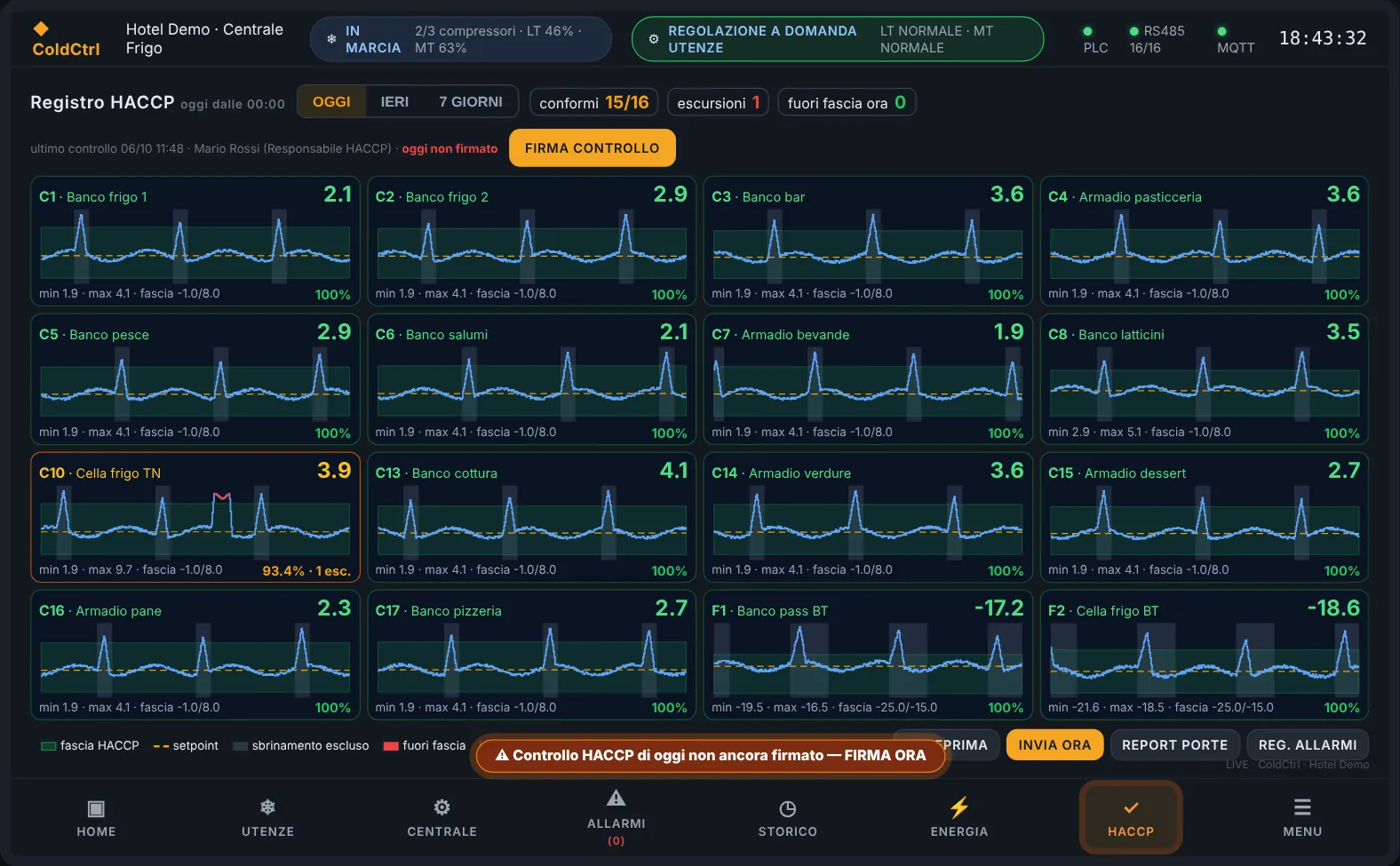
      Real ColdCtrl panel screens with demo data and generic names

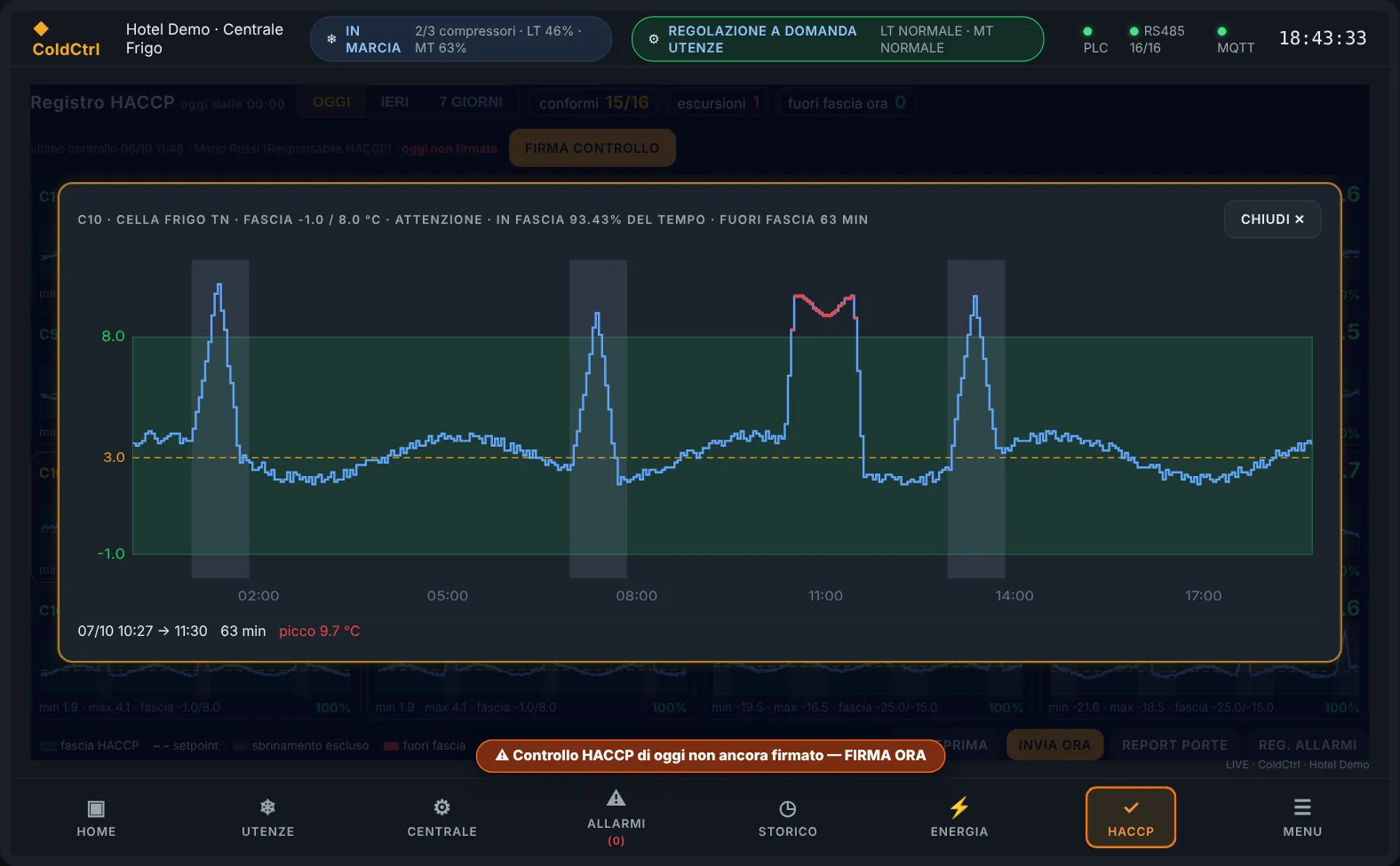
      ColdCtrl panel, HACCP log of the day: one card per load with HACCP band, excluded defrosts and a highlighted excursion; the signature reminder at the bottom
      Log of the day. One card per load: HACCP band in green, excluded defrosts in grey, excursions in red. After 12, if the signature is missing, the reminder appears.
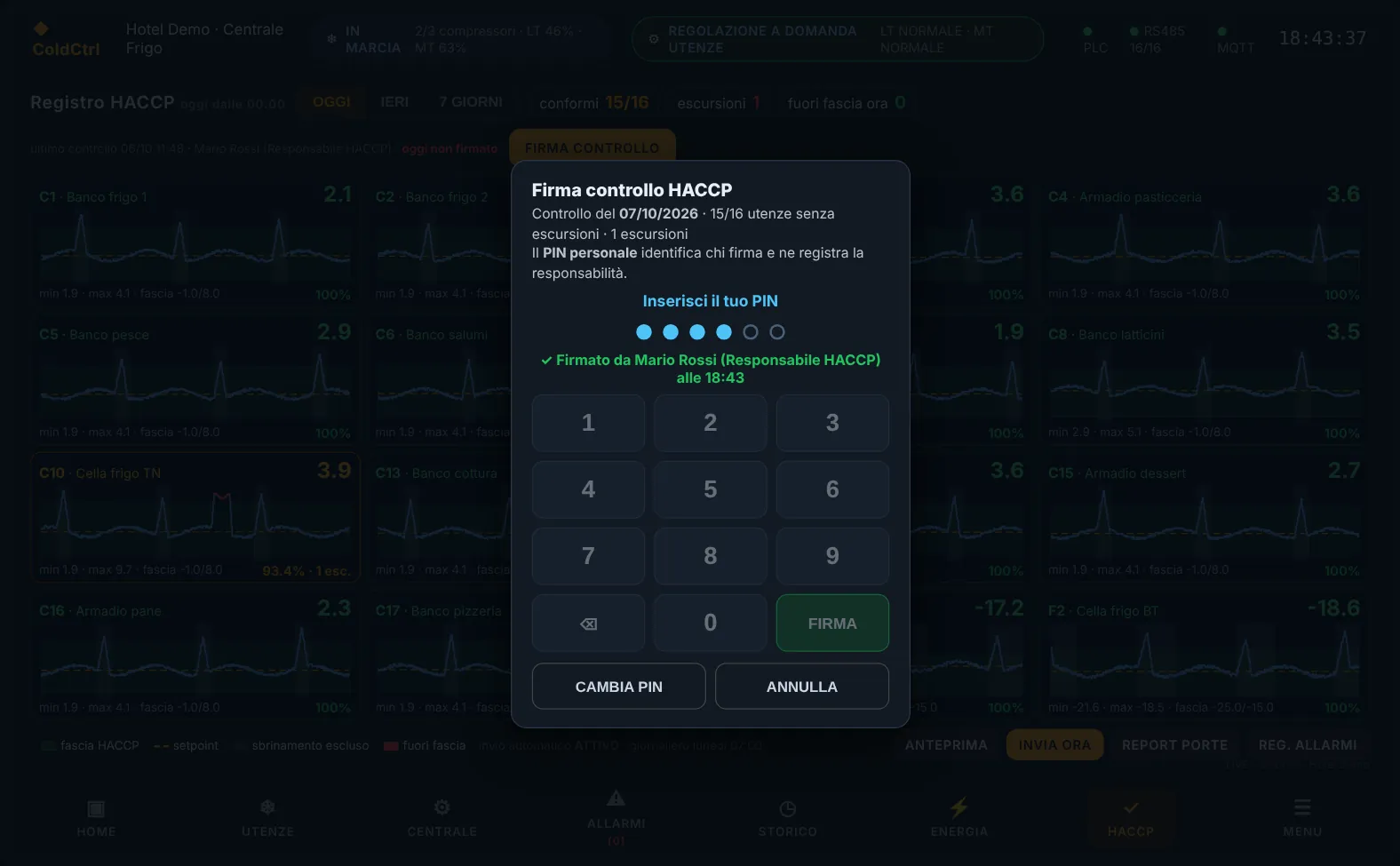
      ColdCtrl panel, HACCP check signature window with PIN keypad and signature confirmation
      PIN signature. The personal PIN identifies who signs: the system records name, role, time and the state of the loads.
      ColdCtrl panel, detail of a cold room with an out-of-band excursion highlighted in red and a WARNING result
      Load detail. The excursion is measured in duration and peak; the result (here WARNING) follows the same rules as the report.
      Example
      INNOVATIVE AUTOMATION srlIndustrial refrigeration servicesColdCtrl
      Site: Demo RestaurantGenerated: 08/10/2026 07:00

      HACCP REPORT — TEMPERATURE MONITORING

      Period: 07/10/2026 00:00 — 08/10/2026 00:00 · Regulation: EC 852/2004

      STATUS: WARNING — 1 unit with minor anomalies

      TEMPERATURE SUMMARY

      UnitTypeSPMinMaxMeanLimitOut of band (time)Result
      Fridge counter 1MT3,01,94,43,11/70.0%COMPLIANT
      Cold roomMT4,02,99,74,32/84.4% (1 exc., max 51min / +1.7°C)WARNING
      Fish counterMT1,0-0,22,41,0-1/50.0%COMPLIANT
      Freezer roomLT-18,0-21,4-16,3-18,7-21/-150.0%COMPLIANT
      LT cabinetLT-20,0-22,6-18,1-19,9-23/-170.0%COMPLIANT

      HACCP ALARM LOG

      Date/TimeUnitTypeDetailsDurationSeverity
      07/10 01:50Cold roomHigh temperaturepeak 9.7 °C48 minWARNING

      SIGNED DAILY CHECKS (PERSONAL PIN)

      DaySigned byRoleTimeSituation at the time of signing
      07/10/2026Mario RossiHACCP manager11:4211/12 loads without excursions · 1 excursions

      The real PDF also contains the charts of every load, the declaration of conformity and the evaluation method. With the weekly mailing there are 7 signature rows: a day without a signature shows as NOT SIGNED.

      Example
      INNOVATIVE AUTOMATION srlIndustrial refrigeration servicesColdCtrl
      Site: Demo RestaurantGenerated: 13/10/2026 07:00

      COLD ROOM ACCESS REPORT — DOOR OPENINGS

      Period: 06/10/2026 — 12/10/2026 · Ref. Reg. EC 852/2004

      SUMMARY

      IndicatorCold roomFreezer room
      Total openings21497
      Total time door open6 h 12 min2 h 05 min
      Mean opening duration1 min 44 s1 min 17 s
      Longest opening42 min8 min
      Openings > 10 min30

      ROOM — Cold room

      RESULT3 prolonged openings (> 10 min).

      214Total openings30,6Openings per day (mean)7/7Days with access
      #DateTimeDurationLevel
      107/10/202601:3842 minHIGH
      209/10/202611:0514 minWARNING
      311/10/202619:4712 minWARNING

      In the real PDF each room also has the median duration, the shortest opening, the busiest day and the hourly distribution chart; at the bottom there is space for the HACCP manager's signature.

      Try the PIN signature in the demo of the sample refrigeration unit on the home page: HACCP tab, demo PIN 2468.

      ColdCtrl · access and security

      How access works

      No open sign-up: ColdCtrl is by invitation only. The customer watches and receives the alerts, the authorised technician steps in, and every step is protected.

      For the business owner

      Customer

      1. 1You receive the invitation by email
      2. 2You activate with Face ID or fingerprint
      3. 3You see your plants and receive alerts
      • Access is by personal invitation only, with no open sign-up.
      • Personal invitation by email: the link is valid for 72 hours and works only once.
      • Sign in with Face ID or fingerprint, with no password to remember.
      • Face ID or fingerprint, or a password plus the 6-digit code from an authenticator app; the device stays recognised for 30 days.
      • Alarms arrive as notifications on your phone, even with the app closed, in your language: Italian, English or German.
      • Tap the notification and the dashboard opens: temperatures, doors, refrigeration unit and history, read-only.
      • The HACCP log is signed every day in the portal.
      • HACCP log with daily signature: if it is not signed by 12 noon, an email reminder goes out.

      For maintenance staff

      Authorised technician

      • The technician also gets in by invitation only, with Face ID or fingerprint.
      • Connected to the Wi-Fi of the plant's router, the portal recognises the site by itself.
      • In the portal: plant data, documents, service jobs, leak checks, F-gas register and commissioning.
      • Remote commands such as defrosts and set-points are the technician's job; on site there is the touch panel.
      • Without a valid F-gas licence, work on the refrigerant stays blocked.
      • Without a valid F-gas certificate, jobs involving refrigerant are blocked by the system.
      • Every access is logged: who, when and for how long.

      Behind the scenes

      Security

      • Every night, an automatic check of servers, routers and panels.
      • Unusual logins are detected automatically and analysed by an intelligent system.
      • Firewall with automatic blocking.
      • Account locked after too many failed attempts; passwords are never stored in plain text.
      • Account locked after 5 failed attempts; passwords are never stored in plain text.
      • If the internet line goes down, the router switches to 4G by itself.